
What is a Common Data Environment (CDE)? A comprehensive guide for UK companies
What is a Common Data Environment (CDE)?
A Common Data Environment (CDE) is a structured digital platform used to manage and share project information across the built asset lifecycle. It provides a single, trusted source of truth for project data, ensuring all stakeholders work from consistent, up-to-date information.
More than just a document storage solution, a CDE enforces standardised processes, controlled workflows, and governance aligned with ISO 19650. This ensures information is accurate, traceable and reliable, supporting better decision-making and reducing project risk.
How does a CDE work?
A CDE works by structuring how information is created, shared, validated and used across the entire construction project, ensuring every stakeholder works from the same, trusted data. A CDE allows you to:
Centralise all project information
All documents, drawings, models and communications are uploaded into a single, shared environment. This ensures that files are not scattered across emails, shared drives and other disconnected tools.
Share and coordinate
Enable real-time access, structured communication, and clear responsibilities—enhancing BIM workflows by connecting models, documents, and stakeholders in a single governed environment.
Structure and classify data
Information is organised using standard naming conventions, metadata, and folder structures (aligned with ISO 19650). This makes it easy to find, filter and manage information.
Control versions, access, and document integrity
Every file within a CDE is version-controlled, ensuring users always work from the latest approved information. At the same time, role-based permissions define who can view, edit, approve, or share data, ensuring that the right people have access to the right information at the right time.
This structured approach protects sensitive data, prevents unauthorised changes, and maintains accountability across the project. All actions are logged, creating a clear audit trail of revisions, approvals, and access.
Ensure data flows between stakeholders
In a Common Data Environment (CDE), data flows between stakeholders through a structured, governed process, rather than ad hoc exchanges like email or file sharing. Information is created by one party (e.g. designers or engineers), uploaded into the CDE, and then shared, reviewed, and approved through controlled workflows, ensuring each stakeholder interacts with the same, up-to-date data.
CDE workflow stages
CDE workflow stages define how information moves from creation to approval, ensuring every team works with the right data at the right time. These stages align with ISO 19650 information states, ensuring structured and compliant data management.
Work in Progress
Information is created and edited by teams internally
Shared
Data is shared with other stakeholders for coordination
Review & Approval
Information is checked, commented on, and validated
Published (Approved)
Final, trusted data is used for construction or operations
Traditional storage system vs. Common Data Environment (CDE)
The difference between a traditional storage system and a CDE lies in how they manage, store, and share data. While a traditional storage system relies on isolated silos, such as local servers, hard drives, or cloud platforms (Dropbox or Google Drive), a CDE is a centralized repository where all project-related data (models, drawings, documents, schedules) is stored.
A CDE provides a “single source of truth”, ensuring everyone involved in the project accesses the same information.
| Feature | Traditional Storage System | Common Data Environment (CDE) |
|---|---|---|
No user fees | ✓ Yes | ✗ No |
Available & easy to use without project preparation | ✓ Yes | ✗ No |
Single source of truth | ✗ No | ✓ Yes |
Central coordinated storage of documents | ✗ No | ✓ Yes |
Standardised, process-oriented collaboration | ✗ No | ✓ Yes |
Binding, mandatory distribution of documents | ✗ No | ✓ Yes |
Automated workflows | ✗ No | ✓ Yes |
Rule-based test runs | ✗ No | ✓ Yes |
Seamless documentation with clear documents, version control and archiving | ✗ No | ✓ Yes |
Data security and freedom from manipulation | ✗ No | ✓ Yes |
Integration with other systems, e.g. BIM | ✗ No | ✓ Yes |
Integrated budgeting and cost control | ✗ No | ✓ Yes |
Benefits of using a Common Data Environment
Adopting a Common Data Environment (CDE) delivers a wide range of practical benefits that help organisations improve efficiency, collaboration and control across the entire project lifecycle.
Challenges of implementing a CDE
Implementing a CDE brings clear benefits, but it also comes with practical challenges that organisations must navigate carefully.
How to choose a common data environment: criteria for UK teams
Selecting the right common data environment is a strategic decision that directly impacts collaboration, compliance and long-term asset value.
For UK-based organisations working within established BIM mandates and regulatory frameworks, the criteria go beyond basic document management. Below are the key areas to evaluate when choosing a CDE.
ISO 19650 workflow support
A CDE should be purpose-built to support ISO 19650 workflows, not simply adapted to them. This includes structured information containers, clear status codes (e.g. Work in Progress, Shared, Published, Archived), and controlled approval processes. A reliable solution should enable consistent naming conventions, automated metadata handling, and alignment with UK National Annex requirements. This ensures teams can standardise processes across projects and reduce compliance risks.
BIM and design integration
Effective collaboration depends on seamless integration with design tools and BIM workflows. A suitable CDE should support open standards such as IFC and BCF, enabling interoperability across different authoring tools. It should also support BIM collaboration through model viewing, issues, and interoperability (e.g., IFC/BCF), with advanced checks handled in dedicated Virtual & Design Collaboration (VDC) tools where needed.
UK hosting, security, and certification
Data sovereignty and security are increasingly important considerations. Ensure the CDE offers UK-based data hosting or complies with UK data protection regulations, including GDPR. Certifications such as ISO 27001 and Cyber Essentials Plus provide additional assurance around information security. Public sector projects, in particular, may require compliance with specific government frameworks, making this a non-negotiable criterion.
Audit trail and permissions
Transparency and accountability are central to ISO 19650-aligned delivery. A strong CDE provides a complete, immutable audit trail of all actions, including uploads, revisions, approvals, and access logs. Granular permission controls are equally important, allowing organisations to define access at project, folder, or document level.
Handover and asset management
The value of a CDE extends beyond project delivery into operations and asset management. Choose a platform that supports structured data handover aligned with Asset Information Requirements (AIR) and Employer’s Information Requirements (EIR). The ability to export or integrate with asset management systems ensures that data remains usable and valuable throughout the asset lifecycle, rather than becoming siloed at project close.
Ecosystem and integrations
No CDE operates in isolation. The most effective solutions offer a broad ecosystem of integrations, connecting with planning tools, design systems, cost management platforms and field applications. For UK teams managing complex supply chains, this interoperability is key to maintaining a single source of truth across all project phases.
Questions to ask before implementing a CDE
Implementing a Common Data Environment (CDE) is not just a technical rollout, but a strategic shift in how information is governed, shared, and validated across the asset lifecycle. Before moving forward, organisations should align on a few critical questions:
Adoption starts with demonstrating value, not enforcing tools. A strong case for a CDE should highlight how it improves data integrity, reduces risk, and enables better decision-making through consistent, traceable information workflows.
When stakeholders understand that a CDE supports compliance with standards like ISO 19650 and reduces rework through early issue detection, buy-in becomes far easier to secure.
Rather than a big-bang deployment, successful implementations typically begin with a pilot project or a specific use case, such as design coordination or issue management. Starting small allows teams to validate workflows, refine processes, and build internal champions before scaling across projects or departments.
Standardisation is at the heart of any effective CDE. This includes defining information requirements, naming conventions, workflows, and data structures that align with your BIM Execution Plan. Leveraging configurable templates, rule-based checks, and reusable workflows ensures consistency across projects while still allowing flexibility where needed.
Clear ownership is essential. A CDE requires dedicated administration to manage roles, permissions, workflows, and data structures. This often sits with BIM managers, information managers, or digital leads who can ensure governance, maintain quality standards, and continuously optimise the system as project needs evolve.
A CDE should be viewed as a long-term capability, not a short-term tool. Your roadmap should outline how you will scale from basic document management to more advanced use cases such as automated validation, analytics integration, and full lifecycle data handover. Planning ahead ensures that your CDE evolves alongside your digital maturity, rather than becoming a bottleneck.
For more advice on choosing the best CDE for your projects, download our 110-point checklist on choosing the best CDE.
Getting your CDE right with Thinkproject
A CDE only delivers value when it becomes a governed, reliable foundation for project information.
Thinkproject’s NextGen CDE is designed as more than document storage: it is a structured, secure, and workflow-driven environment that connects teams, data, and processes across the entire asset lifecycle.
This enables:
- Reliable project data: Ensure decisions are based on validated, up-to-date information
- Aligned collaboration: Keep all stakeholders working from the same coordinated data
- Controlled processes: Replace manual coordination with structured, automated workflows
- Full traceability: Maintain a complete record of all actions, approvals, and changes
- Secure data management: Protect sensitive information with enterprise-grade security and permissions
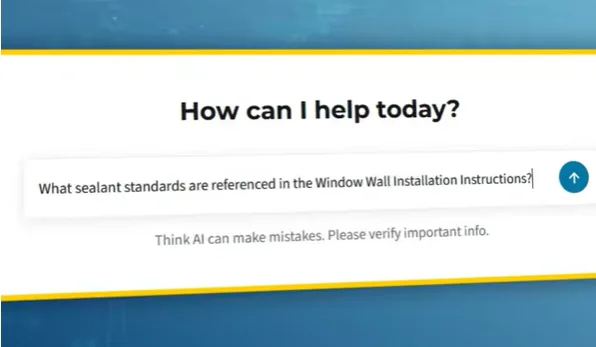
- AI-assisted search (governed): Help users find governed information faster, based on their access rights, while governance, validation, and accountability remain with the user
Thinkproject helps you move from fragmented document management to a connected, data-driven collaboration environment that supports better decisions across the entire project lifecycle.
Common data environment FAQs
A Common Data Environment (CDE) is a central digital platform for collecting, managing, and sharing all project information. It acts as a single source of truth for documents, models, and communications.
CDE stands for Common Data Environment. It’s a widely used term in construction, especially within BIM (Building Information Modelling) and standards like ISO 19650. It refers to the shared space where project information is managed.
No. SharePoint can support a CDE setup but isn’t a complete CDE on its own. While it offers document storage and collaboration, it often lacks structured workflows, approvals, and BIM-specific capabilities.
No, they are different but closely linked. BIM is the process of creating and managing digital asset data, while a CDE is the environment where that data is stored and shared. In short, BIM is the methodology and the CDE is the platform.
Yes, a CDE is essential for ISO 19650 compliance. The standard requires a structured approach to managing and sharing information across a project’s lifecycle. A CDE enables version control, approvals, and consistent collaboration.
Ideally, a CDE should be implemented from the earliest project stages. This ensures consistent information management from the start. However, introducing one later can still add value, especially on complex or data-heavy projects.
More insights
-
Event

Built Asset Lifecycle Platform
Thinkproject Live London 2026
Register nowDiscover how AI and connected data are helping teams reduce risk, improve control, and make faster, smarter decisions across the project lifecycle.
-
Event

Built Asset Lifecycle Platform
Thinkproject Live Events 2026
Read moreJoin construction, infrastructure, and asset management leaders for a day focused on the future of project and asset delivery.
-
Blog

Asset Management
Asset lifecycle management in construction: From planning to decommissioning
Read moreLearn how asset lifecycle management connects planning, construction, handover, operations and maintenance to improve built asset performance.
-
Blog

BIM
Browser-based BIM viewer performance: 10 factors that affect large IFC models
Read moreDiscover what impacts browser-based BIM viewer performance - from geometry and IFC file quality to client hardware and network. A technical guide for BIM teams.
-
Blog

BIM
8 best BIM collaboration software systems for construction teams
Read moreExplore the best BIM collaboration software systems, from CDEs and model coordination to issue tracking, document control, field collaboration, and handover.
-
Blog
CDE
AI Search in NextGen CDE: How Thinkproject AI turns governed construction data into confirmed answers
Read moreDiscover how AI search in a NextGen CDE helps construction teams find current, approved project information while preserving permissions and control.
-
Blog

Digitalization
Construction business intelligence: Turning data into better decisions
Read moreLearn how construction business intelligence connects project data, improves reporting and supports better decisions across the asset lifecycle.
-
Blog

Contracts
Best construction contract management software: 11 features to look for
Read moreCompare the key features to look for in construction contract management software, from NEC, JCT and FIDIC workflows to audit trails and risk control.
-
Blog
Contracts
JCT contract types: Choosing and managing the right contract
Read moreCompare the main JCT contract types, understand construction management contracts and learn how to choose and administer the right form.